More licences
Copilot is to be rolled out to additional departments or user groups, but permissions and governance have never been systematically assessed.
Security · Identity · Compliance
How does Copilot know that?
A file shows up in an answer. Content gets combined in a way nobody expected. Copilot has not created any new permissions. It uses the access rights, sharing links and data structures that have long existed in Microsoft 365. The question is no longer whether Copilot works, but whether the environment behind it is under control.
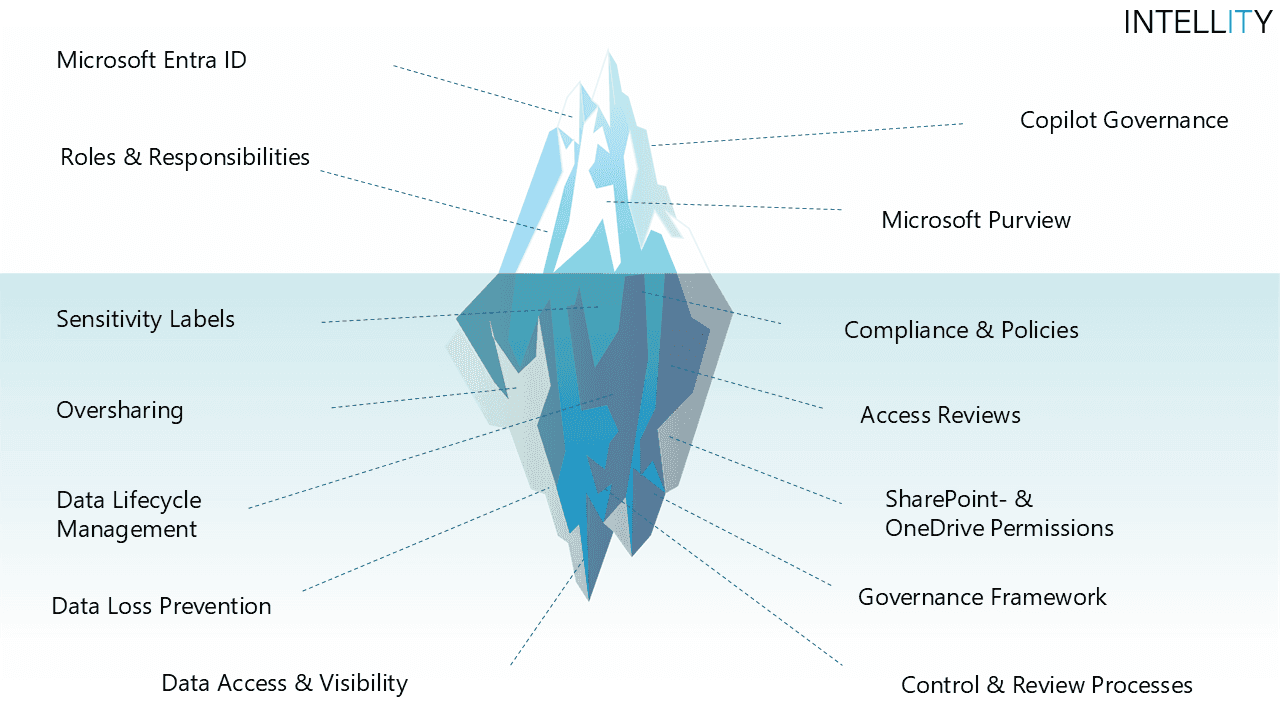
The starting point
It uses the ones that are already there. As soon as Copilot connects, summarises and returns information in its answers, it becomes visible what is already accessible within Microsoft 365. SharePoint permissions that have grown over time, OneDrive sharing links, missing classifications or unclear ownership suddenly take on new relevance.
The assessment does not review what Copilot can do functionally. It evaluates whether data access, identities, compliance and governance can support current usage and further scaling in a controlled way.
Typical triggers
Copilot is to be rolled out to additional departments or user groups, but permissions and governance have never been systematically assessed.
Answers contain information or documents that immediately raise the question of why this content is accessible at all.
Security, data protection or compliance expect a reliable view of oversharing, Purview and existing control mechanisms.
Permissions, sharing and responsibilities are not consistently transparent.
Scope
Four perspectives on the technical reality behind Microsoft 365 Copilot. A fixed framework ensures comparability, while the depth follows your actual situation.
Who may access which information, and how is that access governed?
Which content can Copilot reach based on existing permissions?
Which protection mechanisms for sensitive information are already in place?
Are rules, responsibilities and technical settings connected in a traceable way?
The assessment is based on the agreed scope and the information provided. It does not replace a full technical audit of the entire Microsoft 365 environment.
Process
Half a day to a full day · scope depends on starting point and objectives
Results
No more guessing whether the foundation holds. Instead, you know where it is solid, where the risks are and what to tackle first.
Is it right for you?
FAQ
It is a structured evaluation of the technical foundation behind Microsoft 365 Copilot. It reviews identities, data access, compliance mechanisms and governance. The result is an overview with a maturity rating, risks and prioritised recommendations.
Copilot does not grant new permissions. It uses existing permissions and sharing in Microsoft 365. If content shows up in answers, it was already accessible before. What becomes visible is not a Copilot problem but a permission structure that has grown over time.
Oversharing describes content that is shared more widely than necessary, for example through open SharePoint permissions or old OneDrive sharing links. Copilot makes this access visible because it connects information across sources.
Half a day to a full day, depending on the starting point and objectives. The exact scope is defined in the initial call.
Copilot can be planned or already in use, both are possible. Existing documentation, exports or configuration information are helpful, as are participants from IT, security and compliance.
No. The assessment is based on the agreed scope and the information provided and does not replace a full technical audit of the entire Microsoft 365 environment.
A short call is enough to determine whether, and to what extent, an assessment makes sense for your environment.